Track time per website
Every site gets its own time and visit count, sorted by where your minutes went. Mark each one productive, neutral or distracting.
A new tab you’ll like opening, focus sessions with music, site blocking when you want it, and honest numbers about where your time goes. Free, and private on your device.
Tracking4h 28macross12websites todayon this device
A 45-second tour. The sound is off, tap the speaker to hear the music.
WebWell counts the time you actually spend looking at a page, then turns it into a few clear signals you can read in seconds.
Every site gets its own time and visit count, sorted by where your minutes went. Mark each one productive, neutral or distracting.
Weighted by category, with streaks and a week sparkline.
Tracking pauses when you step away or the window loses focus, so a tab left open overnight never inflates your numbers.
See when you browse most, and get a heads-up before your usual afternoon slump.
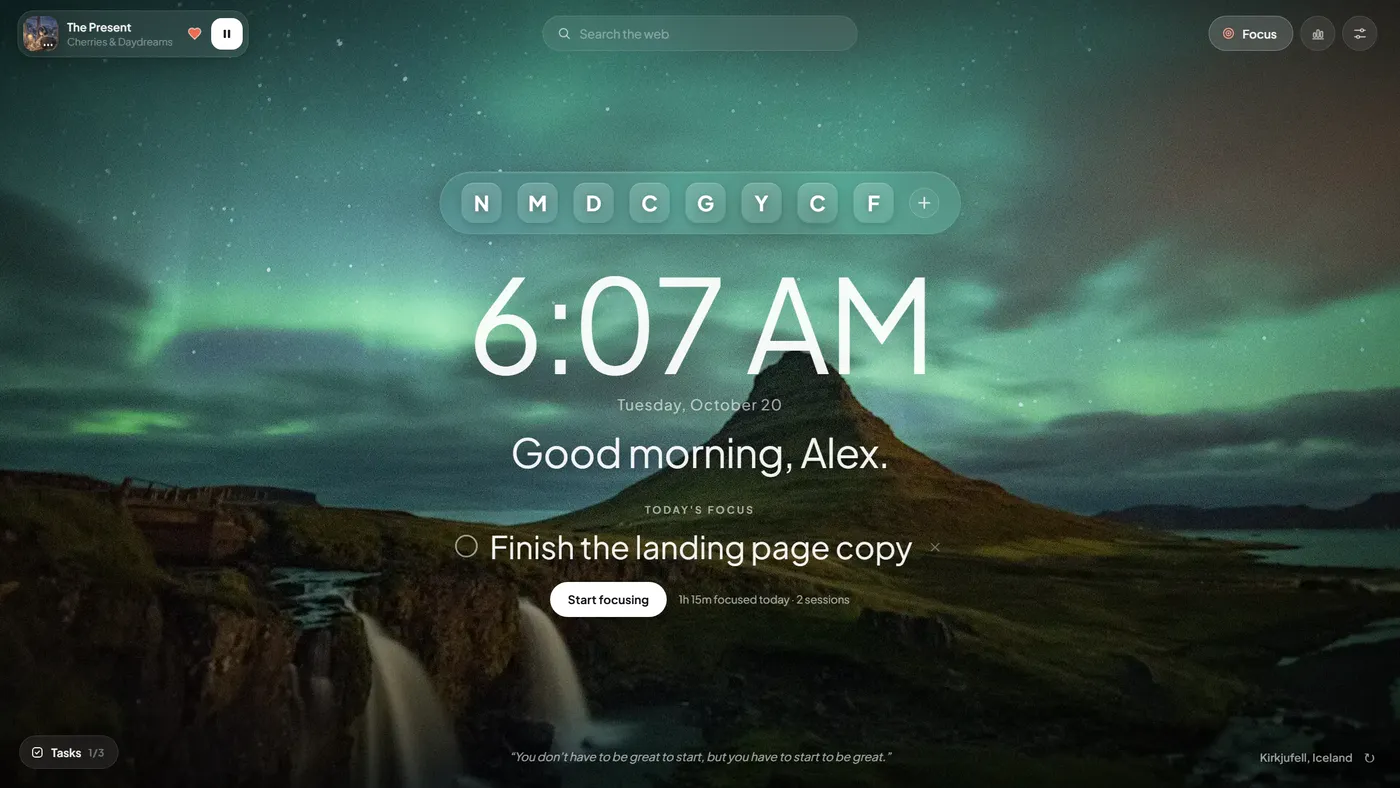
Your clock, your one focus for the day, and your music, over a landmark photo that changes daily. Nothing to sign in to, and it opens instantly.

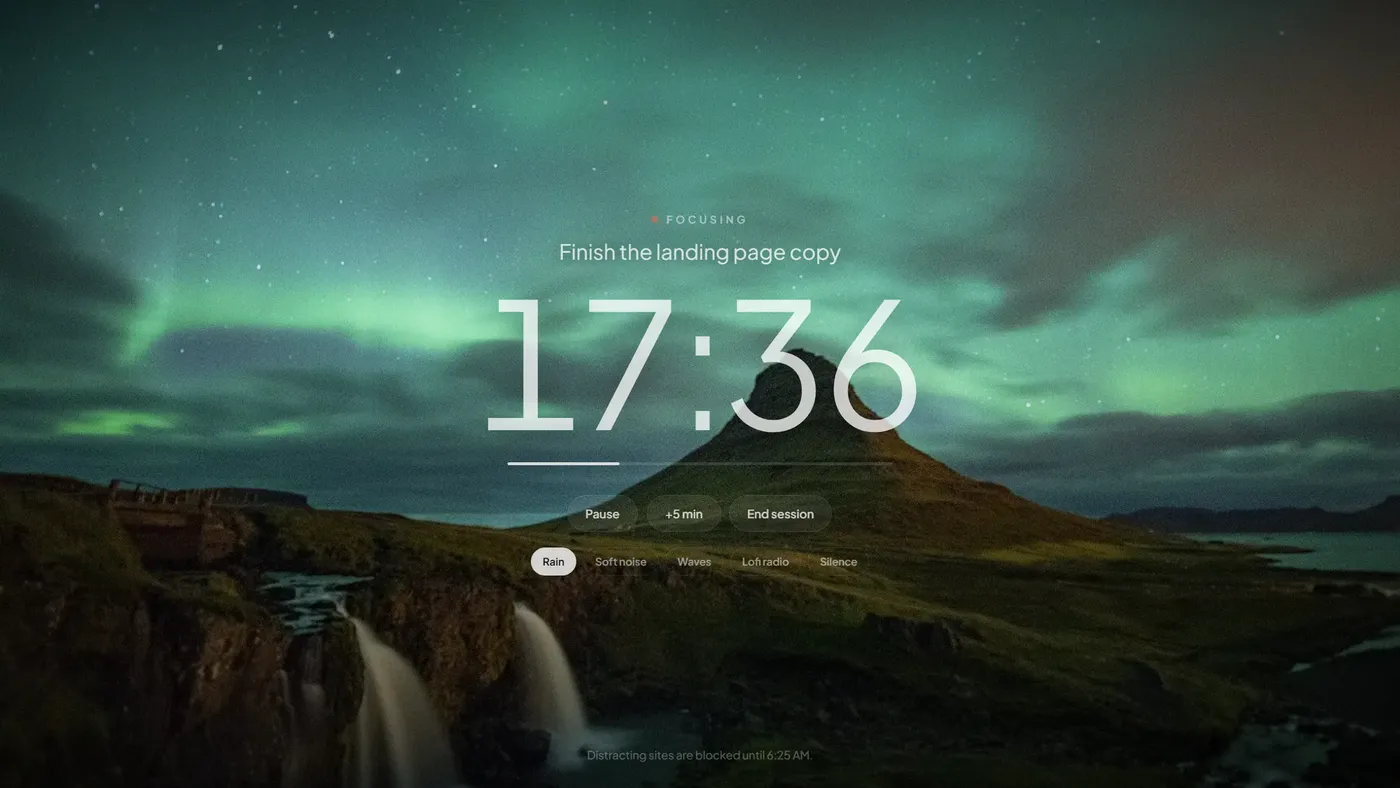
Set your main focus once, then press Start focusing to begin a timed session on it.
A small pill that opens only when you want it. Pick a task to start a session on.
Frosted-glass bookmarks and a web search that uses your own default search engine.
A new landmark each day. Hover the place name for its story, or tap refresh for another. Works offline.
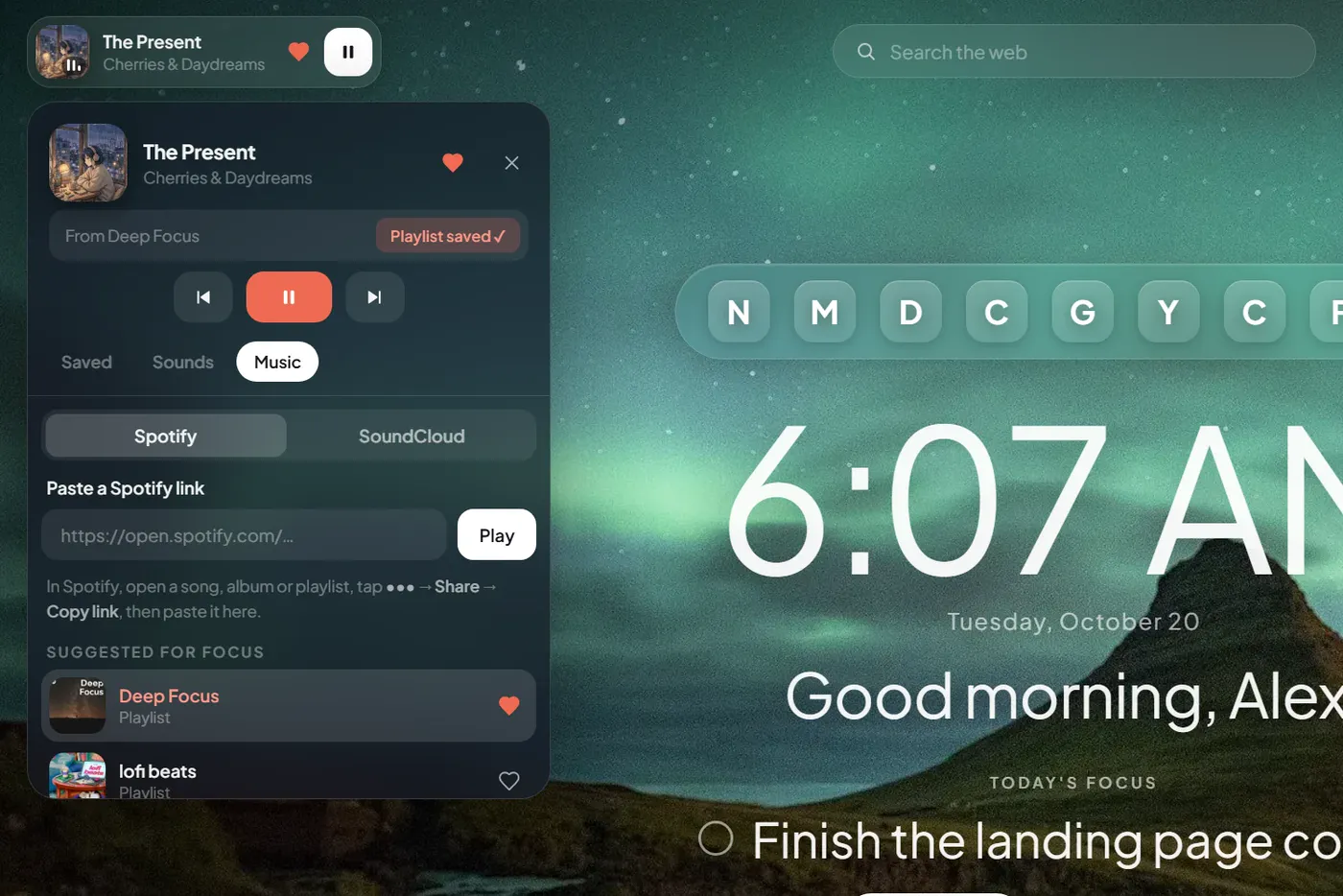
A compact player in the corner, not a wall of controls. Tap the heart on any song and it’s the first thing you see on your next new tab.
Spotify plays full songs when you’re signed in to Spotify in your browser, and 30-second previews when you’re not. WebWell never handles your Spotify login.

Pick what you’re working on, choose a length and a sound, and the page gets out of your way. Distracting sites wait until you’re done.

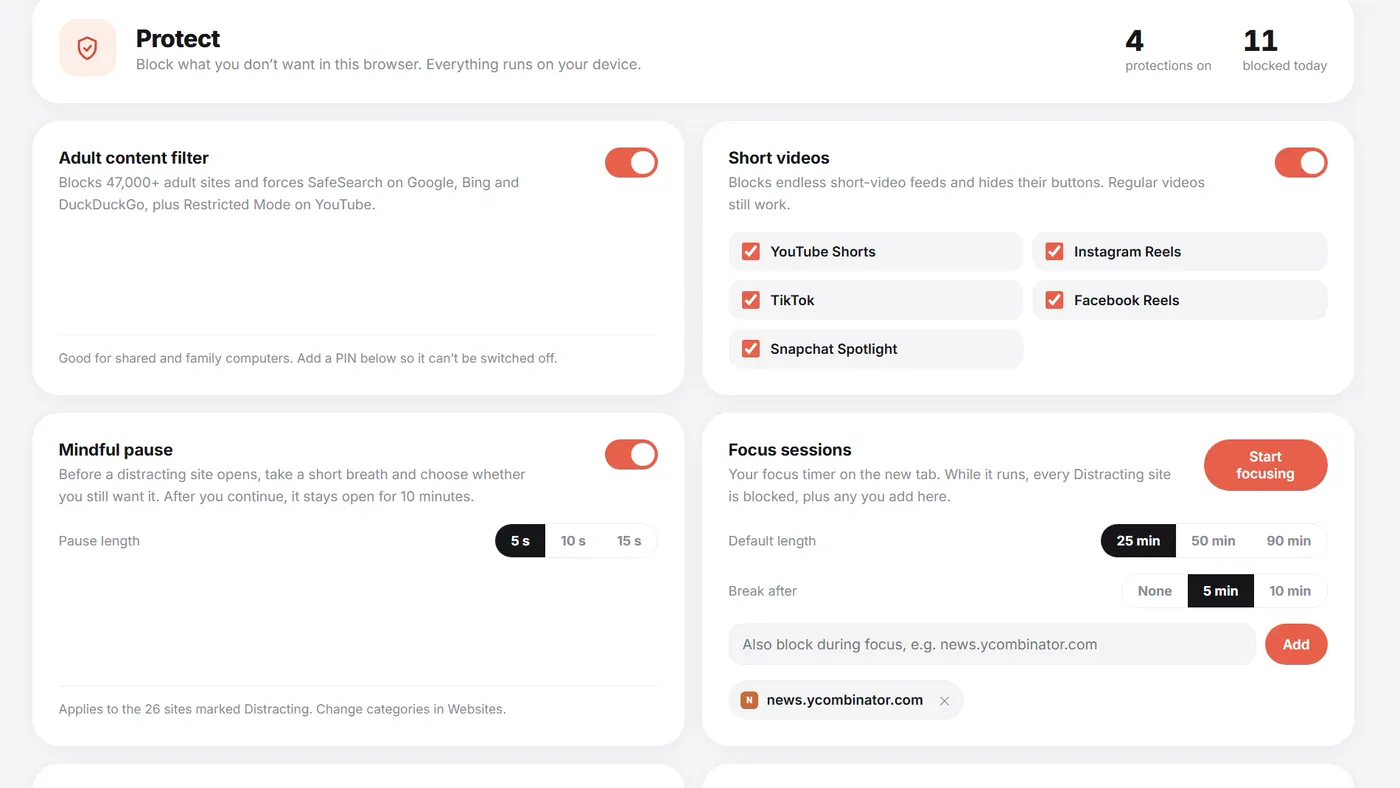
Turn on only what you need. Everything runs inside your browser, and nothing about the sites you visit is sent anywhere.
A PIN can’t stop someone removing the extension in the browser’s settings. On a child’s computer, also use a supervised profile.

Everything WebWell tracks and stores lives in your browser. There are no servers, no analytics and no account. Blocking uses a list that ships inside the extension, so the sites you visit are never sent anywhere to be checked.
Music, Spotify, SoundCloud and the AI chat only connect to their own services when you use them. The AI chat needs your own Gemini key and sends only your question and a short stats summary.
A tracker sees where you browse, so you should know exactly what it does. Here is all of it.
Every line of code that runs in your browser is public. Read it, audit it, or build it yourself.
tabsSee which site is in your active tabidlePause tracking when you step awaystorageKeep your stats and settings on this devicenotificationsLimit alerts and focus-session remindersoffscreenKeep music playing after you close the tabdeclarativeNetRequestBlock sites using the browser’s own rulesAll sites (optional)Only asked when you turn on blocking“I built WebWell because I wanted honest numbers about my own browsing, and a new tab I’d enjoy opening, without handing my history to anyone. If something breaks or you have an idea, write to me. I read every message.”
Install WebWell on Brave or Google Chrome. No account needed.
Say your name, set your main focus, and pick a song or a sound.
Start a session when you need to concentrate, and check your dashboard to see your day.
No paid plan, no trial and no account. Everything on this page is included.
Works on Brave and Google Chrome desktop.
Yes. There is no paid plan, no trial and no account. Everything on this page is included.
WebWell is heading to the Chrome Web Store, and the buttons on this page switch to “Add to Chrome” as soon as it’s live. Until then you can install it from GitHub in about two minutes: download the project, open chrome://extensions (or brave://extensions), turn on Developer mode and choose Load unpacked.
No. Your stats, settings and saved songs live in your browser. Music from Spotify, SoundCloud and SomaFM, and the AI chat, only connect to their own services when you use them.
Only when you ask it to. A focus session blocks the sites you marked as distracting while it runs. The adult filter, short-video blocker and your own list work only if you turn them on. Daily time limits just send a notification.
Only when you switch on a blocking feature, because the browser needs that permission to redirect a blocked page. WebWell never reads or stores what’s on the pages you visit.
Set a parent PIN and the protections can’t be turned off or reset without it. A PIN can’t stop someone removing the extension from the browser’s settings, so on a child’s computer also use a supervised profile.
Paste a link to a song, album or playlist and it plays through Spotify’s own player. If you’re signed in to Spotify in your browser you’ll hear full songs; if not, Spotify allows 30-second previews. WebWell never sees your login.
Only the active tab counts, and tracking pauses when you’re idle or the window loses focus.
Your own Gemini API key. The assistant answers only from your stats.
Brave and Google Chrome on desktop.
It’s removed with the extension. Your stats only ever lived in your browser, so nothing is left anywhere else. You can export a copy from Settings first.
Both. It tracks how long you spend on each website (only the active tab counts), scores your day, and can block distracting sites during focus sessions, or all the time if you choose to.
WebWell is built around a similar idea: a calm new tab with a daily focus, tasks and a clock over a landmark photo. It also includes focus sessions with music, site blocking and private screen-time tracking, and it is free and open source. It is an independent project and is not affiliated with Momentum.
WebWell is built for Google Chrome and Brave. Other Chromium browsers such as Microsoft Edge may run it, but they aren’t officially supported yet. Firefox and Safari aren’t supported.
Mostly. The new tab, landmark photos, focus timer, offline sounds and your stats all work without a connection. Spotify, SoundCloud and radio need the internet.
Install WebWell, open a new tab, and set your focus for the day.